


As it turns out, July was busier than expected! The good news is that my website redesign is basically complete. But the bad news is that I still haven’t finished the blog post about the process. It’s coming along, trust me! But here we are, the month almost at an end, and there’s not a blog post to be seen. So let me share some more art with you! Time to talk about concept art.
Most visual projects, big and small, have a pre-production stage. This can be anything from film, games, software, physical products, etc. This is when the team puts their minds together to plan and conceptualize what their final product will be. There are endless avenues of pre-production, but for visual artists and designers, this is where concept art enters the picture. As the team establishes their vision, it’s important to have some visuals to help the ideation process. Talking about your idea is one thing, but seeing your idea on the page helps immensely. Concept art is a great way of doing this without having to invest hundreds of hours (and dollars) on prototypes or visual tests. It can instead be a sketch, a full color illustration, a quick 3D mock-up, or a photo-bash. These are all fast and iterative ways of testing ideas; Throwing your spaghetti at the wall and seeing what sticks. A concept artist will interpret the ideas of the team and put them on the page. Then they’ll do it again, and again, and again…and again. This iteration is key to pre-production, and it’s what helps the team nail down the vision for the final product. And sometimes it’s fun!
Some time ago, I was an artist for a start-up company looking to break into the virtual reality space. Our team was initially trying to create an app/hardware that combined VR with stationary bikes. The idea was to have cycling classes that brought the cyclists out of the gym and into fantastical virtual environments. As we got started on pre-production, we explored where we might take these cyclists. What sort of environments will they cycle around in? Our team had a brainstorming session or two to answer that question, and then I started on some concept art! I wanted to create images of these environments to help establish the tone and vibe of each space. BUT! I couldn’t spend too much time creating whole landscape pieces. AND! There were quite a few ideas to visualize. So I decided to create little isometric vignettes of each idea.
A tree and a rock. That was my base. How could I re-contextualize these two objects to fit each environment? With that in mind, I hopped into Illustrator and got to work. Let’s dive into the art! The first set was:
– “Red Rose Planet”, an alien world full of moss, roses, and bright red trees.
– “Big Roots and Brambles”, a wild environment filled with giant roots and shrubs to match.
– “Swamp Boardwalk”, a New Orleans inspired environment with swamps and weeping willows.
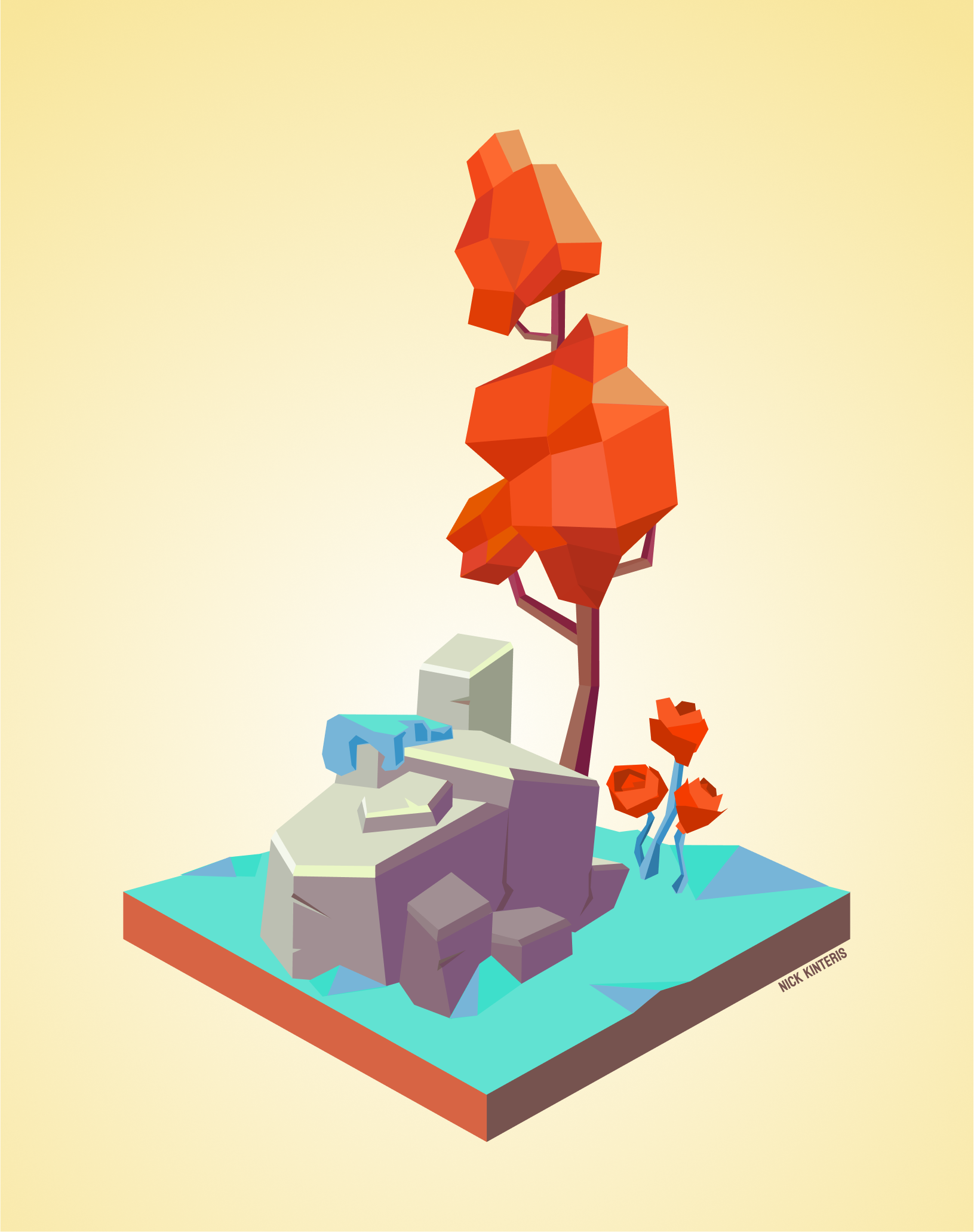

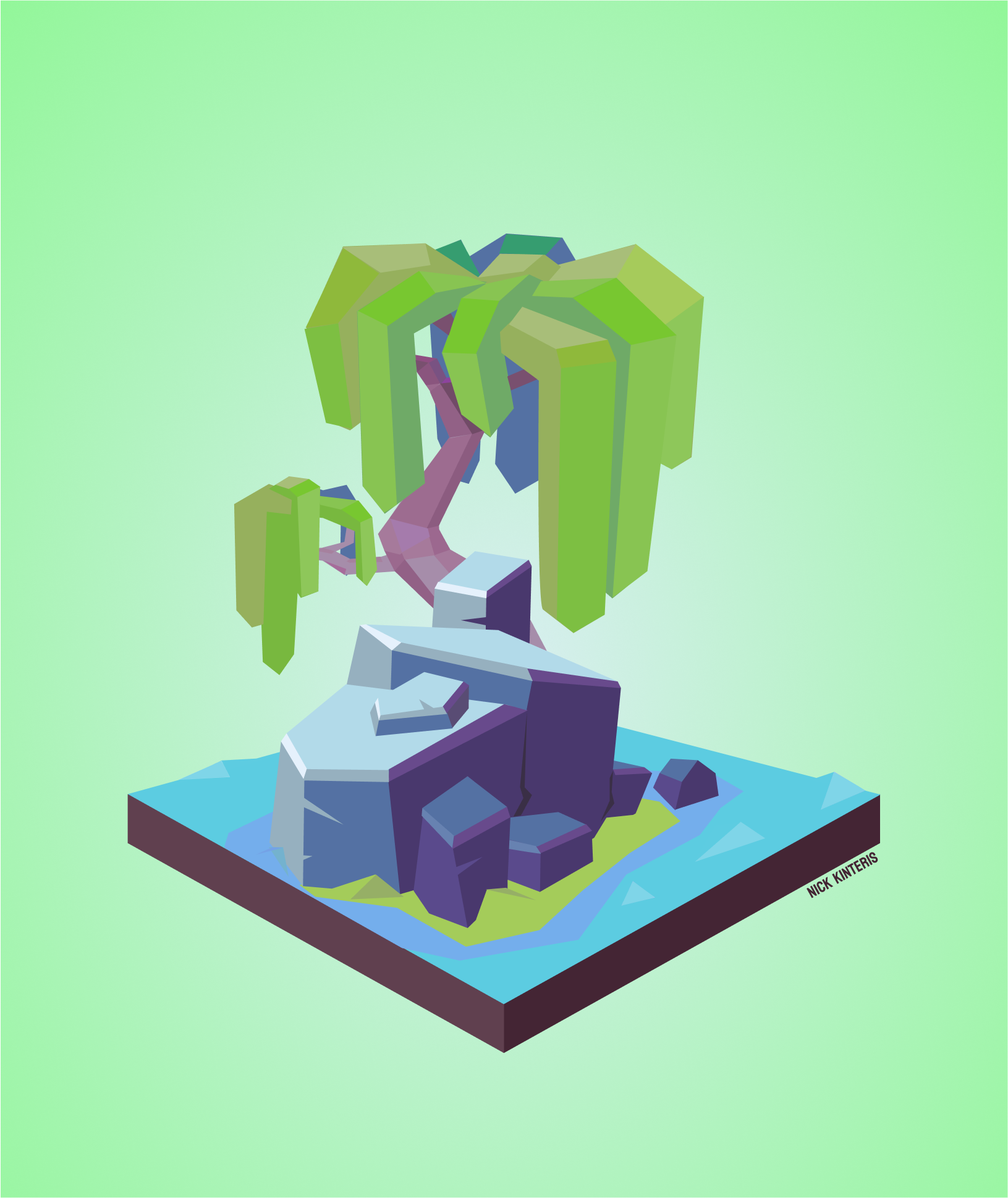
We also have:
– “VHS Vaporwave”, an 80s inspired vector graphics environment.
– “Desert Oasis”, a tropical haven in the middle of the desert.
– “Snowy Blossoms”, a wintry landscape with vibrant cherry blossoms.
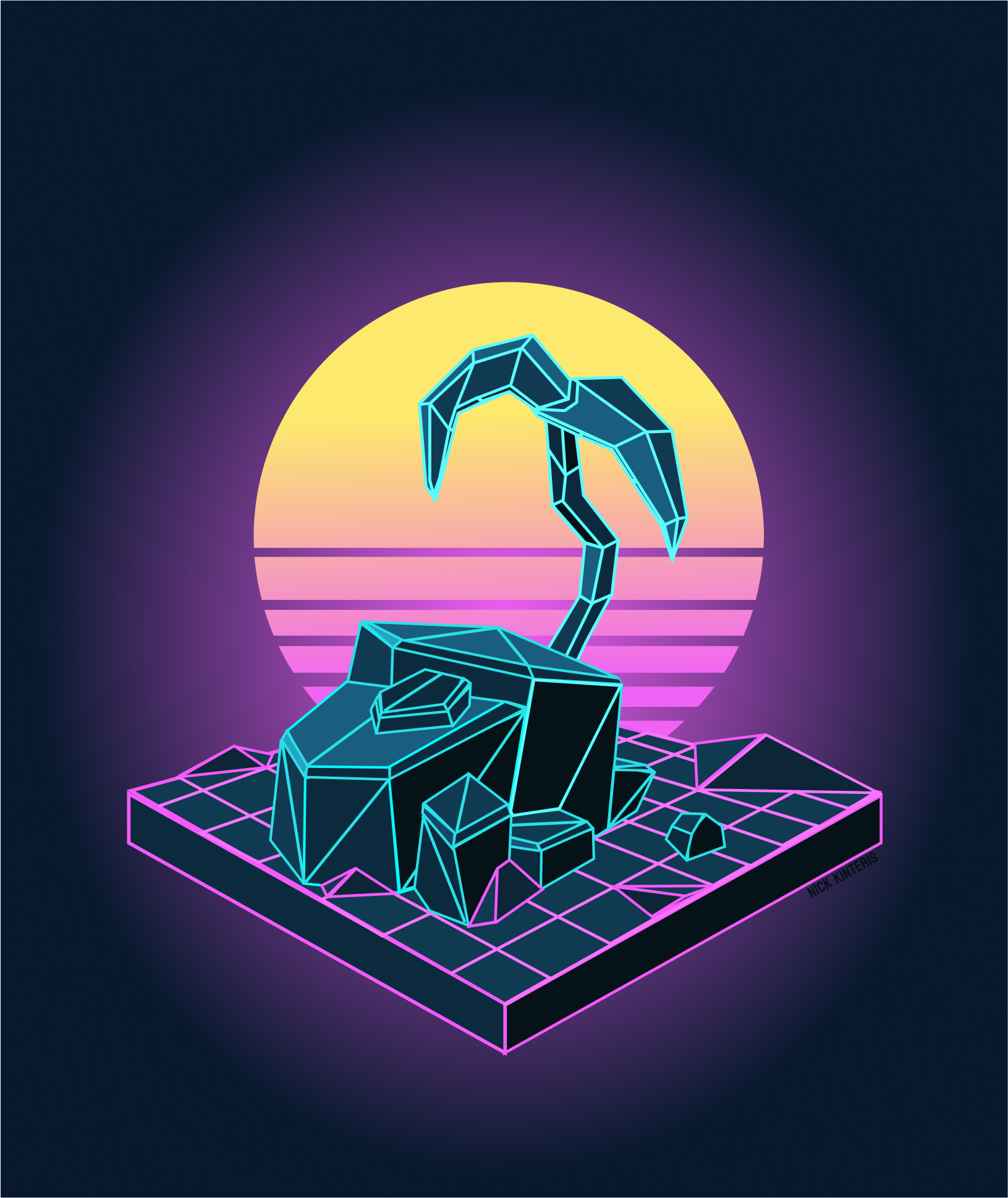

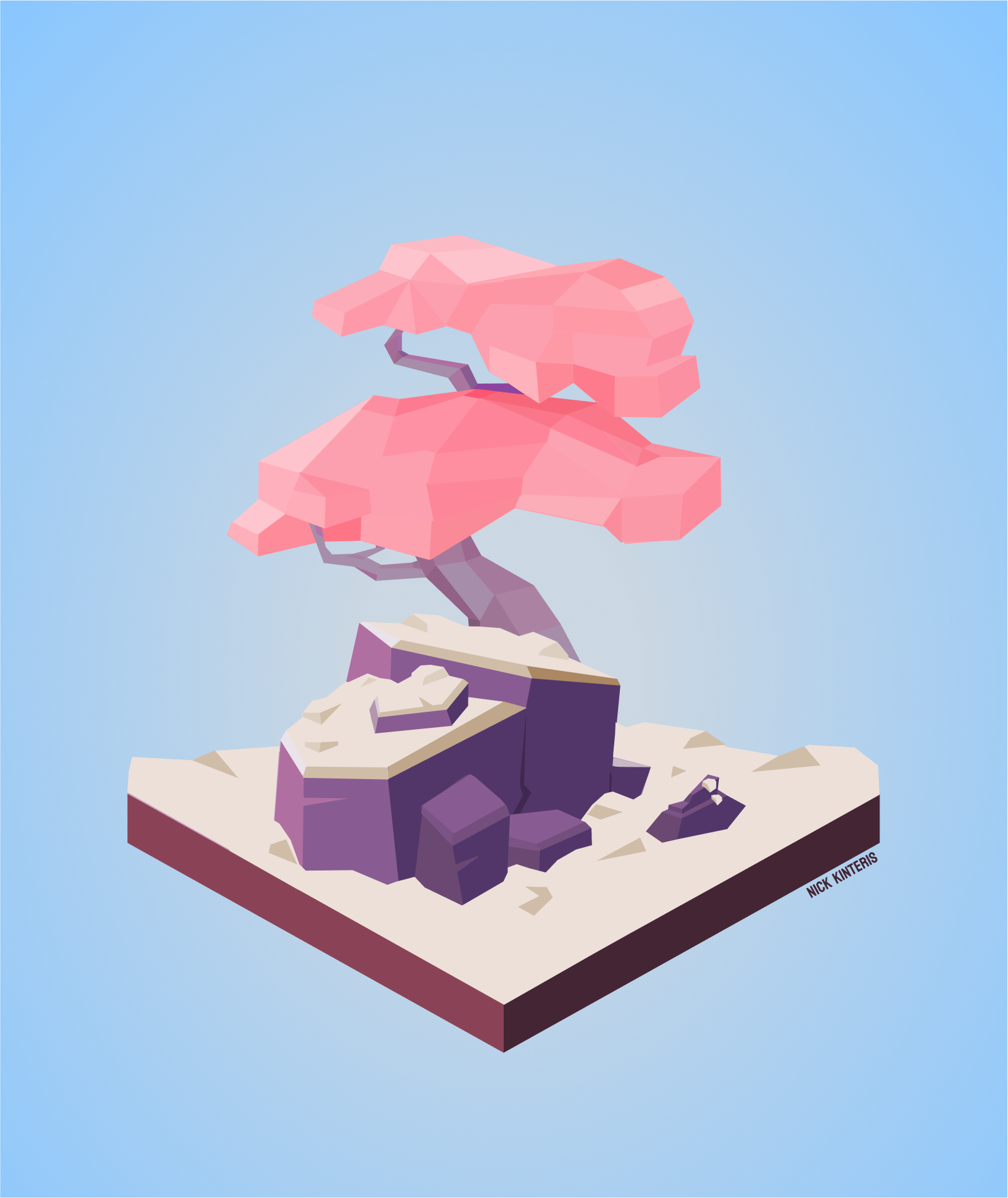
And finally:
– “Birch Forest”, an autumn setting full of starch white birch trees.
– “Retro Future Desert Highway”, a retro futuristic Route 66 littered with forgotten machines.
– “Fairy Tale Forest”, fantastical woodlands straight out of an old fable.
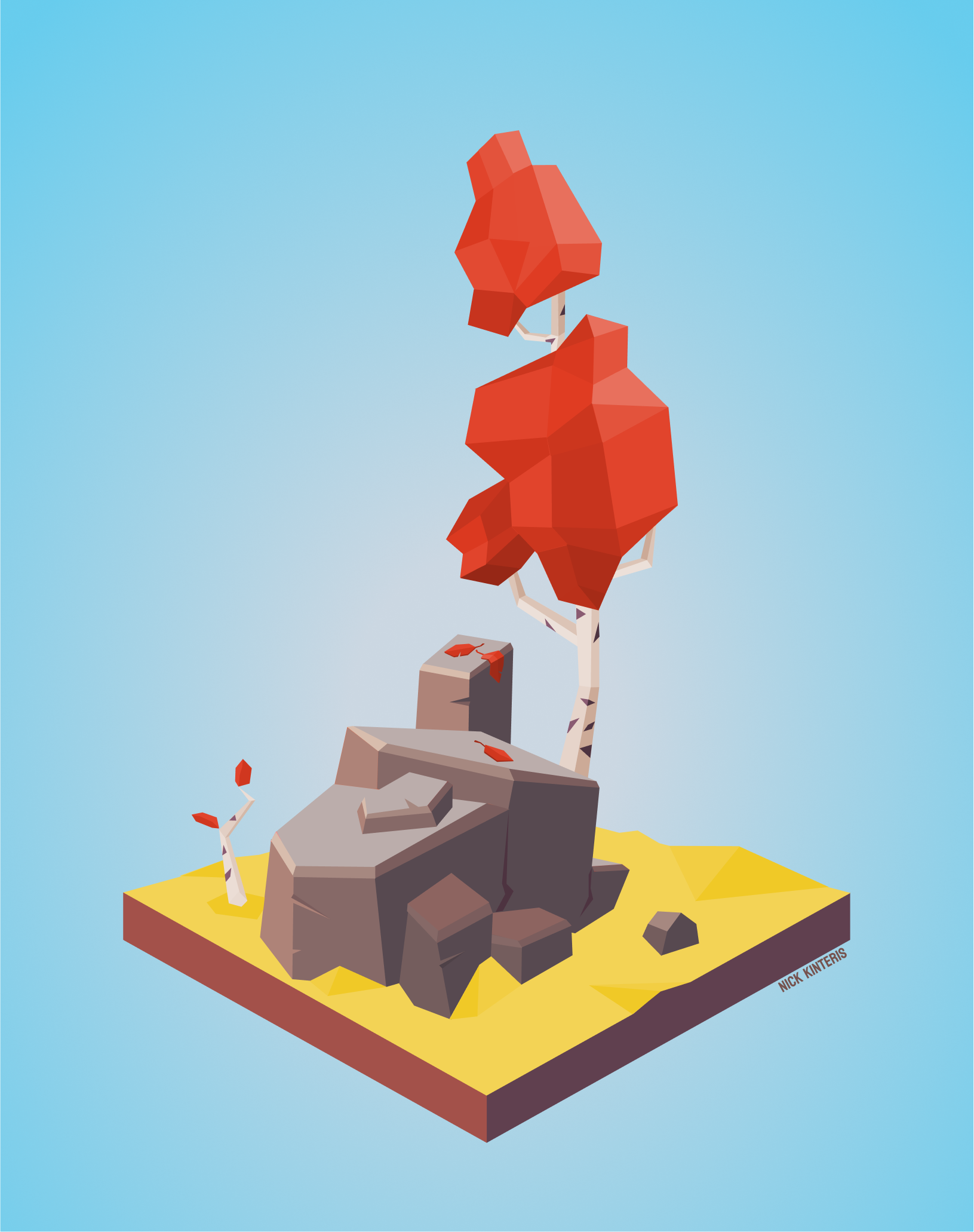


And just like that, I was able to quickly visualize a good chunk of the environments that our team had discussed. These vignettes communicate the tone of each space, and leave the rest up to the viewer’s imagination. And crucially, they were quick to create and easy to iterate upon. I created a simple ground and rock shape to start. I then took that and modified it for each environment. I layered on new elements and tweaked anchor points to reshape some of the base. Again, quick, iterative, and effective! I used a similar concept art format on a different project too. This one involved interior spaces:
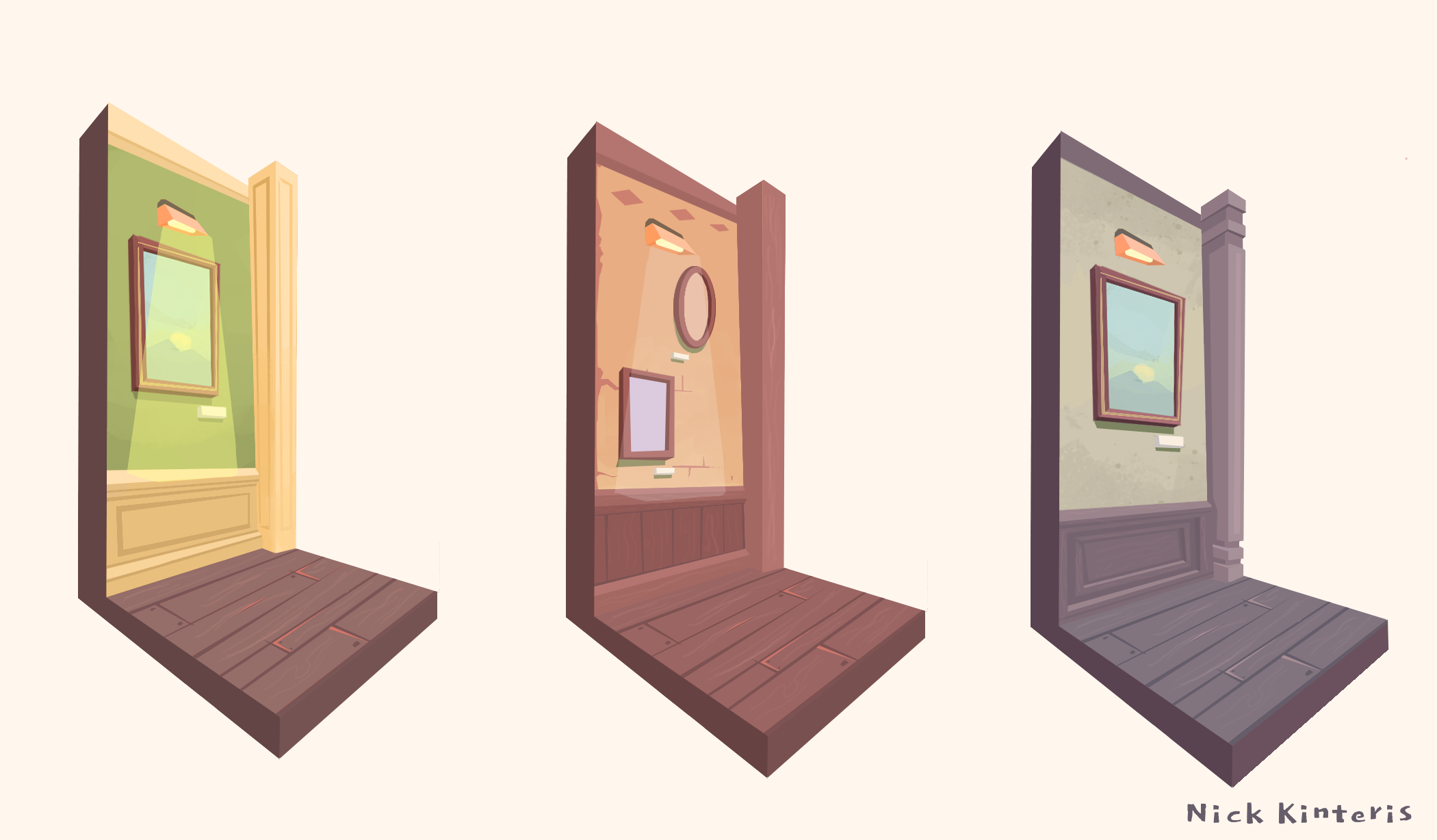
Visualizing our ideas was key during the pre-production process of that VR project. It really helped us narrow down what we were looking for. I also find that presenting your teammates with some early concept art can be motivating, at least in some small way. It helps turn the whirlwind of intangible ideas into something a little more tangible and real. It can be exciting to start seeing the vision, the earlier the better!
While I find it fun and quick to sketch digitally and traditionally, it can pretty effective in a vector program too. Testing out ideas with the pen tool, and tweaking those anchor points can be faster than you’d think. It’s just another interesting workflow to add to your concept art toolbelt. Give it a try! Also, if you’d like to see more of my vector illustrations, check out this page on my website. There’s more of this kind of work over there.
Well, that’s all for now! Thanks so much for reading, and see you next month!
My Links: ArtStation / Cara / Vimeo / YouTube / Instagram


 Nick Kinteris
Leave a reply to Nick Cancel reply