


Constraints! Contacts? I rambled on and on about these in my Arms Crossed post, and this next exercise is a nice continuation of those ideas. By creating crossing arms animation, I practiced having the character come in contact with their own body. It gave me a great opportunity to practice using Maya’s constraint system in order to have one part of the character (the hand) follow the movement of another part of the character (the opposite arm). But contacts don’t just stop there, there’s a whole world of objects out there that your character can come in contact with. A wall! A floor! A juice box!? The list goes on…
It might sound obvious, but it’s important to have your character interact with the things around them. Something as simple as a hand against a wall can go a long way towards making your character seem immersed in a scene. But this time around, it’s not a wall that I practiced with, it’s a juice box. Continuing with Chiara Porri’s extremely helpful exercise list, I created a drinking animation. I had an absolute blast animating this, and I think the results are pretty fun too! Here’s the motion (with sound!):
As you can see, the character’s hands come in contact with the juice box. Like I described in the Arms Crossed blog post, when using a constraint, I need to decide what is the leading object (the parent) and what is the follower object (the child).
I could either have the hands follow the juice box and animate the motion of the juice box. Or I could animate one of the hands and have the juice box and other hand follow. I chose the former. As soon as the hands touch the box, I activate the constraint and just animate the upward movement of the juice box.
Even though in “real life” the hands/arms are leading the motion, the opposite is true here. I can make it seem like the hands are leading, while I actually just animate a short arc for the juice box. Simple as that! Since this is a slightly more complex shot than I’ve written about before, I also wanted to share a little bit about the progression of this shot. There are few distinct phases an animation will go through, and here’s a little breakdown of the main passes:
It’s starts off in “Blocking“, where there are much fewer keyframes, and things look a bit choppy. I establish all of the main poses here.
Then I move on to “Blocking Plus” where I add more key, breakdown, and in-between frames to give the motion a bit more fluidity and flow.
Then I move into “Spline“, where I allow the animation software to interpolate the motion between the keyframes I’ve created. It usually makes things a look bit floaty, so I’ll go in and tweak the keyframes to smooth things out. That’s what I’ve done in that footage. And from there, I continue to modify the splined animation until it feels finished. Or I run out of time!
But there’s a crucial component I’m neglecting to mention. And that is FEEDBACK! It’s so incredibly important for you to get feedback on your work, it’s such a great way to learn and improve. This shot wouldn’t look how it does now without the extremely helpful notes given to me at each stage of the process.
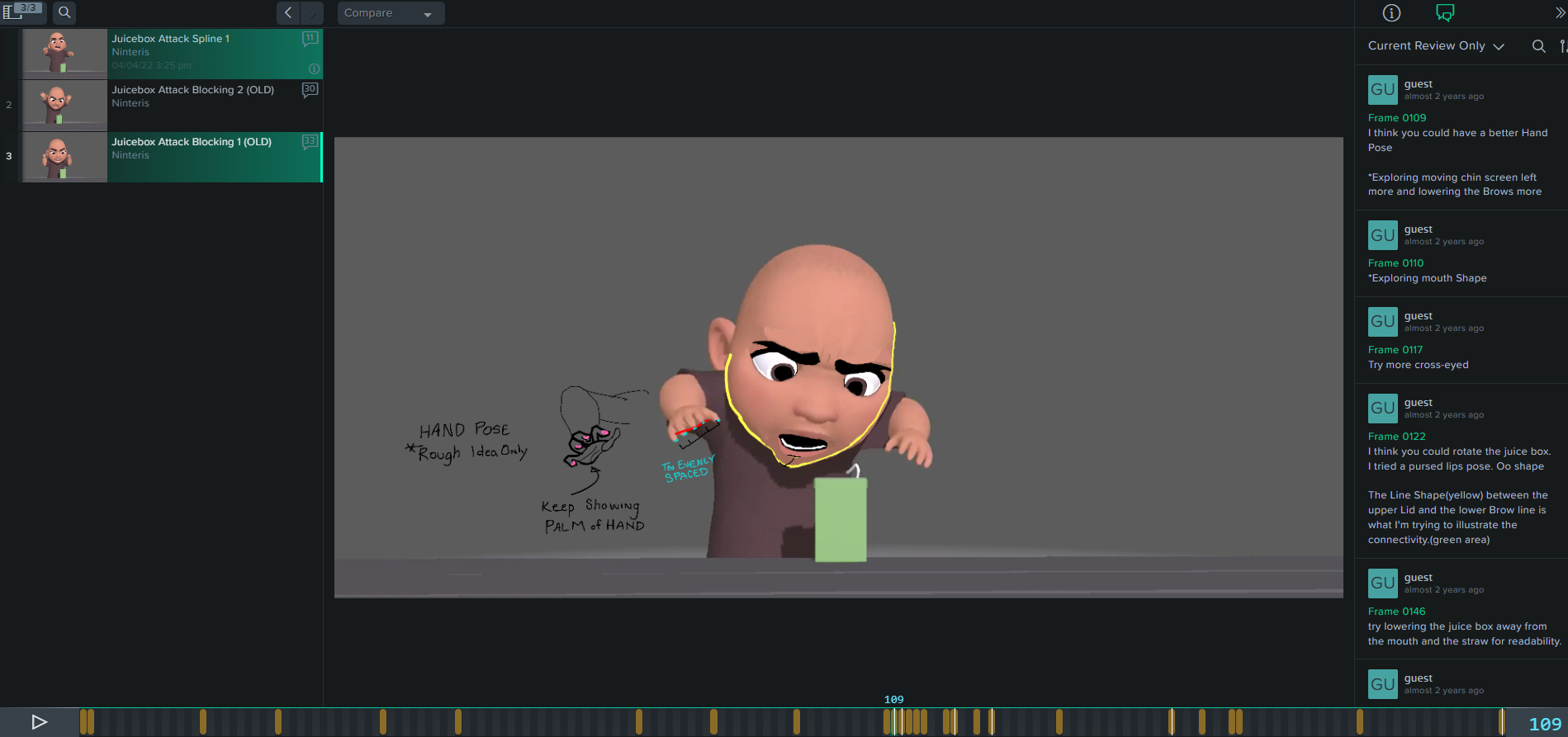
I’ve been uploading my work over on SyncSketch, which allows users to both comment and draw over video as a way to provide feedback. I’ll then link that SyncSketch project within the feedback channels of places like the AnimState or Agora Community discords. There are wonderful folks within the animation community who will freely offer up their time to provide others with helpful feedback.
I was lucky enough to have received quite a bit of feedback for this drinking animation, and if you’d like, you can take a look at my SyncSketch project. You’ll see all the notes I was given at each stage of the animation.
I’d really like to thank Dhairya Vijay, Zak Barazi, and two other anonymous users for giving me essential feedback on this particular animation. Your comments, sketches, and time went a long way towards helping me improve and learn.
Anyway, that about wraps up this post. Thanks for reading! And I guess Happy Halloween too?
Yu-Lon Rig by Artem Dubina
My Links: ArtStation / Instagram / Vimeo / YouTube


 Nick Kinteris
Leave a reply to Animation Block: Learn and Keep Moving! – Nick Kinteris Cancel reply